
Normally, technical articles don’t include a preface, but my recent experience with Sysjoint warranted special mention. The original version of this article, which I’d already sent to EEWorld for publication, included some minor quibbles regarding the EMC measurement settings. My biggest complaint was that switching from the default dBm to dBµV did not allow adjusting the Reference Level. Therefore, the vertical scale would be subdivided by “sevens” (conversion of dBm – 107).
After exchanging a few emails explaining this, I thought we were done. However, two days later, I received a beta firmware to try out. Voila! That bug was fixed. This new firmware also added the ability to choose either a vertical or horizontal display, which is a nice touch. In so doing, the menu structure was changed, so this and the bug fix required a rewrite. I have to give the engineers at Sysjoint a lot of credit for responding to my suggestions and fixing this so quickly. I’ll continue suggesting enhancements for EMC engineers, and we’ll see how this little jewel evolves!
Introduction
I’m always searching for unique portable test equipment that can be used for general EMC testing. I recently discovered the Sysjoint/SEESII SSA463 handheld spectrum analyzer that has potential for characterizing the radiated emissions of a product or system over the range 35 MHz to 6.3 GHz.
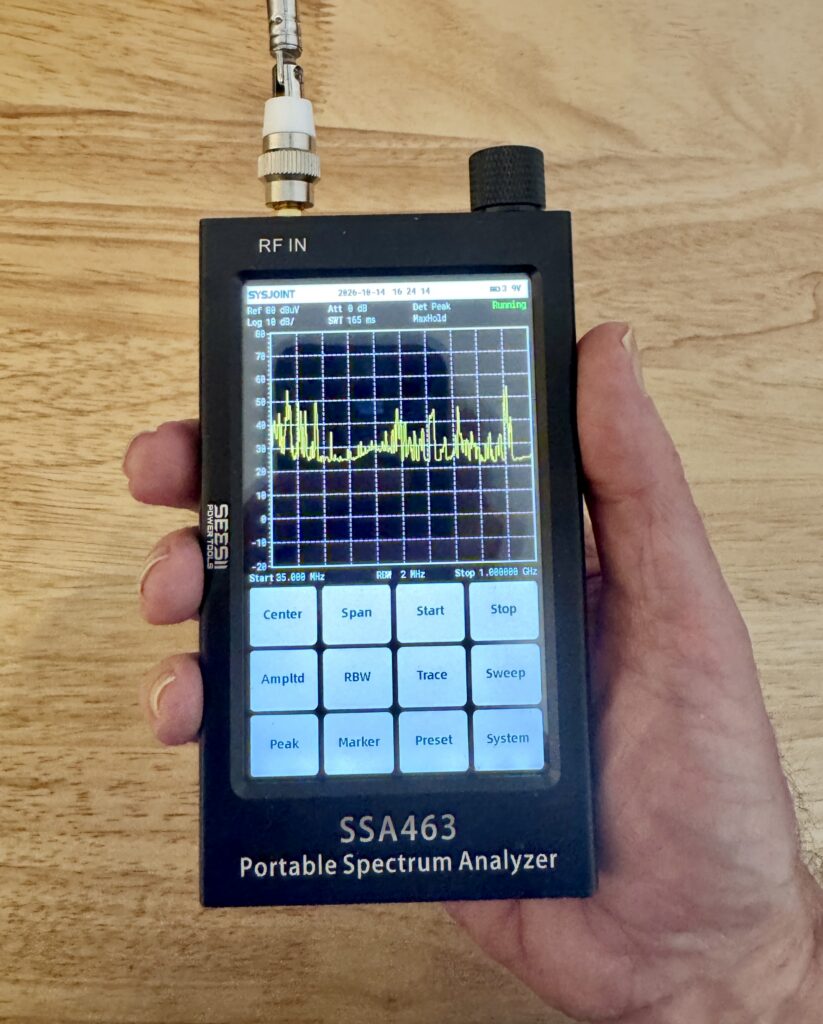
This product appears similar to the TinySA Ultra I reviewed for EEWorld here, but is slightly larger. The construction of the unit seems higher quality with its sturdy aluminum enclosure (Figure 1). I like the user interface much better because the menu system is always displayed and the structure seems logical. This orientation and menu remind me of the Thurlby-Thandar (AIM/TTi) PSA2702T I (2.7 GHz) reviewed here and PSA6005 (6 GHz) reviewed here. It didn’t take me very long to find all the usual setup controls.
Here is a list of the main specs:
- Frequency Range 35 MHz to 6.3 GHz
- Dynamic Range: -110 to +10 dBm
- Display: color 4.3-inch IPS LCD (800 x 480) touchscreen
- Battery life: 4000 mA/hr, 5 hours, USB-C charge port
- Resolution BW: 2MHz, 250kHz, 15kHz
- Dimensions: 125mm x 74mm x 22mm
Controls
The RF input port is a female SMA, while the generator has a female SMB (for some reason). The kit comes with an SMB to SMA adapter for the generator that just plugs into the SMB port. A telescoping antenna is supplied; however, it does not swivel at the base, so it can’t be positioned to suit the application. I would purchase an alternative with a standard SMA, and that swivels to a usable position.
The 4.3-inch color display uses most of the screen, with the menu control buttons located below. I love the fact that the menu controls are always visible. The display has an adjustable backlight.
There is a knob on top that can also dial in settings as an alternative to the keyboard. The Li-Ion battery is charged using the USB-C port on the bottom of the case, and this also serves as data I/O. The power switch is partially recessed and also located on the bottom. Despite the power switch location, the analyzer seems to be stable when placed upright.
Frequency may be set as Center/Span or Start/Stop. The minimum usable frequency is 35 MHz, which is a shame it doesn’t tune lower. The TinySA Ultra can tune down to 100 kHz, which would be useful for measuring power conversion EMI. The upper range is 6.3 GHz, which is fine for normal EMC troubleshooting. Sysjoint hinted in our discussions that they would be working on a future design that tuned lower in frequency.
Under the Amplitude menu, we have the ability to change Reference Level, Attenuation level, and Y-axis Units. The built-in attenuator may be adjusted from zero to 30 dB, which is a nice range. The Y-axis range defaults to dBm, but may be set to dBV, dBmV and dBµV.
There are four markers, and a marker table is accessed via System > Marker Table (Figure 2). All the usual marker features: Peak, Peak Search, Next Peak, Next Peak Left, and Next Peak Right. There is also a Marker Delta feature.
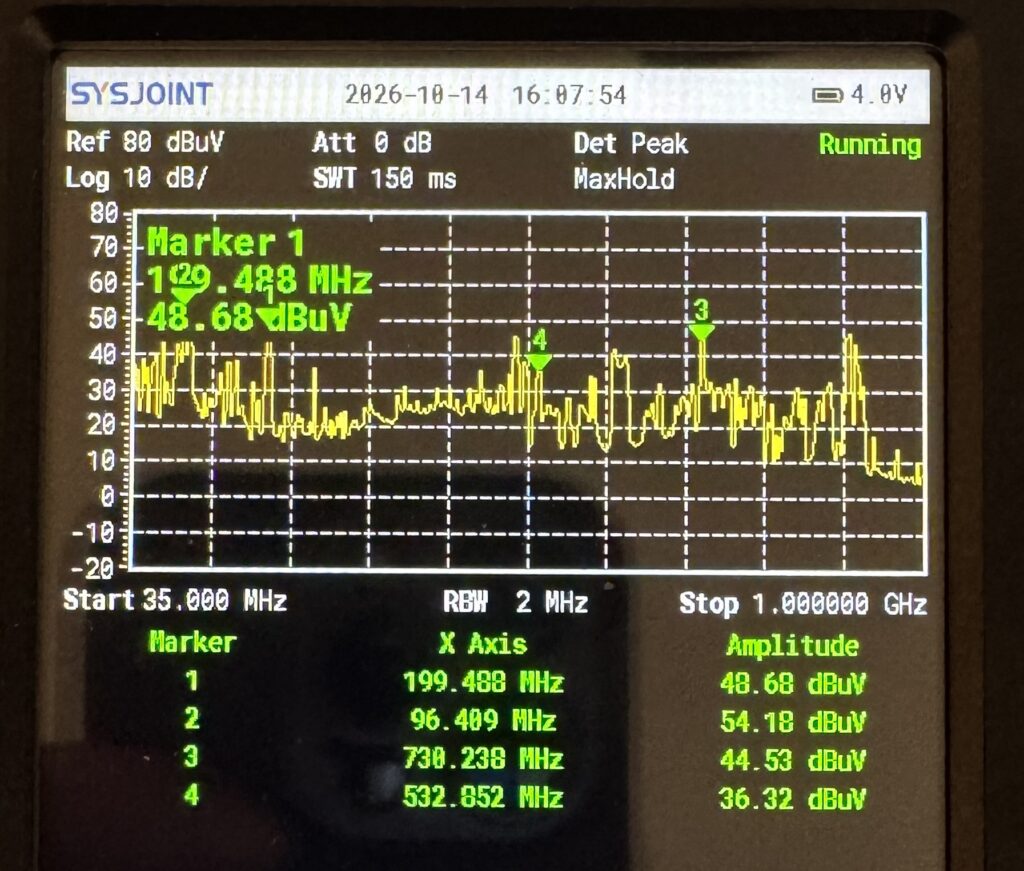
Detection modes (System > Det Mode) are +Peak, -Peak, RMS, and, not surprisingly, do not include quasi-peak detection. Date and Time can be adjusted, as well as the Backlight and Beep modes.
The single trace displayed may be set to Clear/Write, Max Hold, Min Hold, or Average. The Sweep mode can be set to Single or Continuous. There is also a Trigger mode that allows you to set a trigger level line, which will capture a single sweep if a signal crosses the trigger threshold.
Preset defaults to dBm and 35 MHz to 6.3 GHz with Reference Level set to zero dBm. Currently, there is no way to user-program the Default, and I’ve requested that feature be implemented in the future. The Peak button on the main menu will position at the highest peak displayed.
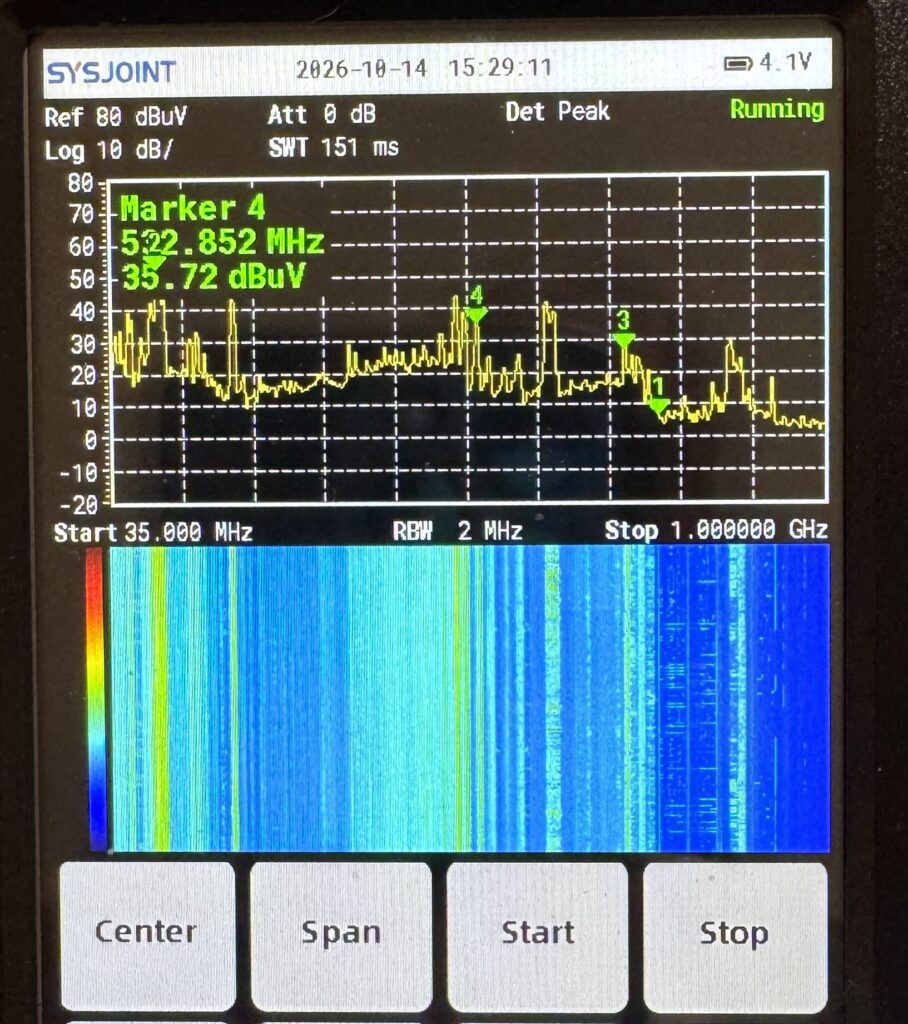
A waterfall feature may be activated by System > Waterfall, and the bottom of the screen will display frequency versus time (Figure 3). This is valuable for catching periodic or frequency-varying signals.
Using the analyzer as a “sniffer”
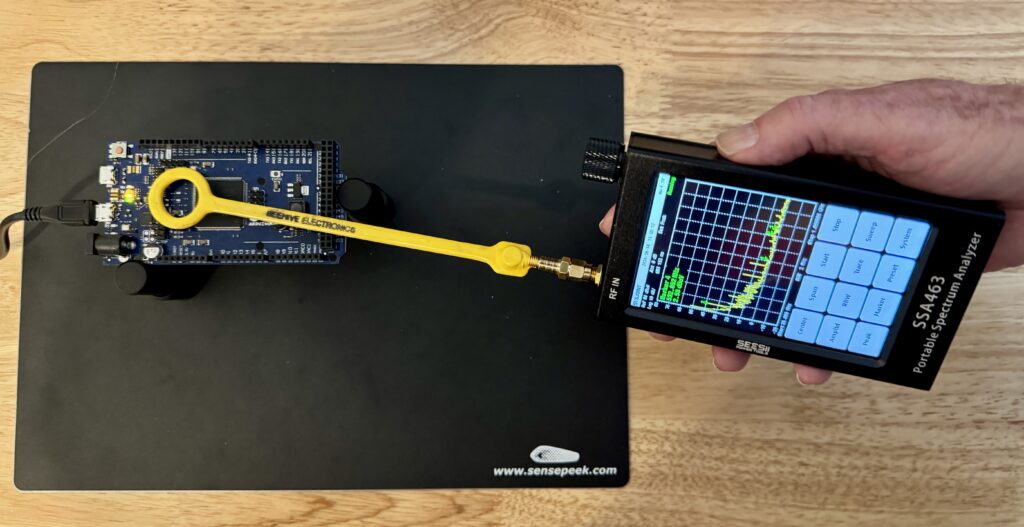
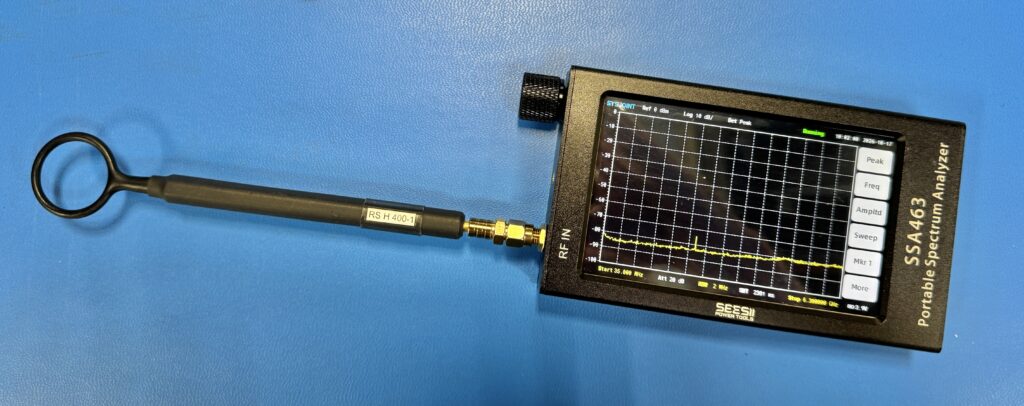
The most useful application for this cute handheld analyzer is to attach a near-field probe and use it as a general “sniffer” to observe any high-amplitude harmonic content in systems, cabling, or PC boards (Figure 4). This will help narrow down emission issues.
You’ll need a male SMA to female SMB adapter in order to attach most commercial near-field probes. I purchased this kit from Amazon.
Other features
The newest firmware Sysjoint supplied to me for review (Ver 1.0.1) also includes the ability to switch the display from vertical to horizontal format (Figure 5). In horizontal format, the menu displayed is located along the right edge and is somewhat abbreviated. You’ll need to poke around to familiarize yourself with where instrument setups are now located.
RF generator: Like the TinySA, the SSA463 also has a built-in RF generator that tunes 10 MHz to 6.3 GHz with an RF output of -30 to +0 dBm with steps of 0.5 dB. Also, like the TinySA, the generator is a separate application and is not coupled to the sweep frequency of the analyzer. I did not test the generator for this review.
Frequency calibration: The analyzer is pre-calibrated in frequency and includes a high-stability frequency reference. Just in case, there is a Frequency Correction mode, where the reference frequency may be compared to a calibrated source and adjusted precisely.
Firmware update: Updating the firmware is easy. Pressing and holding the top knob down while turning the unit on places it in “U-Disk mode,” and the PC will recognize it as a storage device. The latest firmware “bin” file may be downloaded from www.sysjoint.com using the supplied USB-C cable and is simply copied to the root directory. The update will occur during the next power cycle. This is by far the easiest method I’ve experienced! No special drivers or complicated procedures required!
Summary
Despite the lower frequency limit of 35 MHz, I believe the analyzer would work well as an affordable handheld sniffer when doing a quick general characterization of product or system EMC performance. I recently had a chance to use this in the field to help identify the major harmonic energy sources on a complex system and found it really sped up the troubleshooting process.
I actually prefer this over the TinySA for three reasons: it has a robust metal case, the maximum power input is +10 dBm (versus +7 dBm for the TinySA Ultra), and I do like the function keys displayed all the time for ease in setting up.
The company seems very responsive to suggestions, and the price is right at $299 on Amazon. I suspect there will be continuous firmware improvements in the future. Recommended.